Instagram profile and feed photos
Turn portraits, selfies, and everyday shots into polished social images with cinematic or stylized AI filters.
Evoke is useful when you want a quick mobile AI image filter workflow for posts, profile photos, thumbnails, and lifestyle edits. It is not a full layout editor, beauty-only selfie app, or dedicated photo restoration tool.



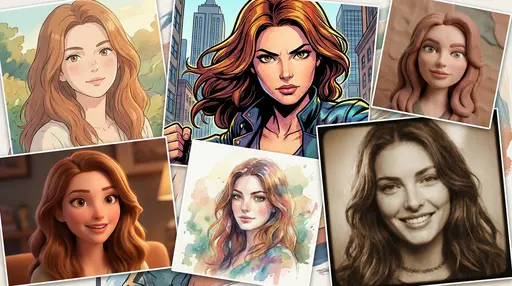
Social-ready filters
Evoke is useful when you want a quick mobile AI image filter workflow for posts, profile photos, thumbnails, and lifestyle edits. It is not a full layout editor, beauty-only selfie app, or dedicated photo restoration tool.
Turn portraits, selfies, and everyday shots into polished social images with cinematic or stylized AI filters.
Create stronger cover images for reels, shorts, video previews, and campaign ideas before publishing.
Apply color, mood, and aesthetic presets when the goal is a recognizable visual style rather than heavy manual editing.
Upload, preview before and after, apply a social-ready look, and download without moving through a desktop design workflow.
Upload a clear photo, apply AI image filters, and download instantly.
Pick a well-lit image so the AI filters preserve detail.
Use AI image filters, presets, and photo filters for a new look.
Preview before-and-after results and download in seconds.
AI Filter Styles
From cinematic photo filters to vibrant presets and creative looks.
Apply cinematic filters with rich tones and movie-inspired color grading.
Explore bold presets that elevate portraits, travel, and lifestyle shots.

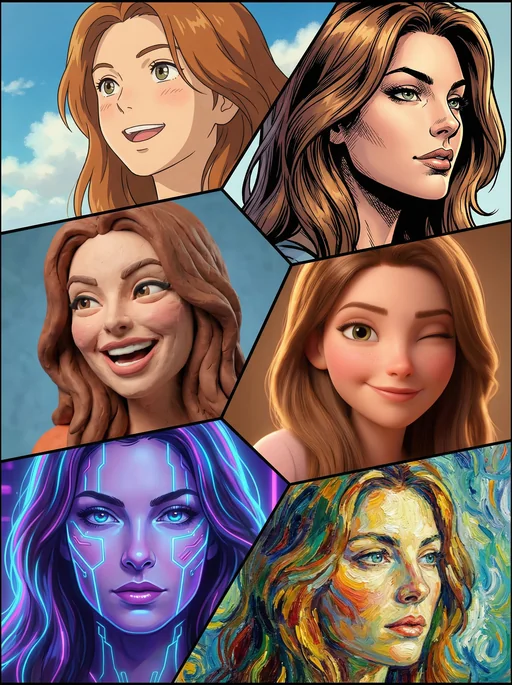
Studio Ghibli Style

Marvel Comic Style

Clay Animation Style


Pixar 3D Style
Fast AI image filters online with export-ready results.
Apply AI filters anywhere with a mobile-first editing experience.
Compare before and after filters, then download your image instantly.
Filter app comparison
These apps solve different editing jobs. Evoke fits quick AI filter and creative photo workflows, while other tools are stronger for layouts, selfie retouching, broad editing, or restoration.
This comparison describes workflow fit only. Prices, features, ratings, and app store availability can change.
Browse curated styles and presets or learn how to build your own AI filter workflows.
Answers about social media filters, portraits, previews, downloads, and app differences.
Evoke is a strong fit when you want mobile AI image filters for social media photos, including profile images, creator thumbnails, lifestyle edits, and quick posts. Canva, Lensa, Picsart, Remini, and YouCam fit different editing jobs.
Yes. Evoke AI image filters work well for selfies and portraits when the input photo is clear and you want a polished social style, cinematic mood, or creative look.
Lensa is more portrait and avatar focused, while Picsart is a broad manual editing toolbox. Evoke is positioned for quick AI image filters plus connected mobile creator workflows such as portraits and photo-to-video.
Evoke and Remini overlap less on filters than on enhancement. Remini is better known for restoration and clarity, while Evoke is better suited when the goal is social-ready AI filters and creative styling.
Yes. Evoke supports before-and-after previews so you can compare the original photo with the filtered result before downloading.
After applying a filter, download the result in a share-ready format for social posts, profile images, thumbnails, or follow-up editing.
Download Evoke and style your photos with AI image filters.