psychology
Is Evoke suitable for restoring blurry pictures?
Yes. Evoke is suitable for many blurry pictures, including portraits, travel shots, screenshots, and everyday mobile photos affected by soft focus, motion blur, or camera shake. Very severe blur may still limit how much detail any AI enhancer can recover.
Does Evoke support old photo enhancement?add
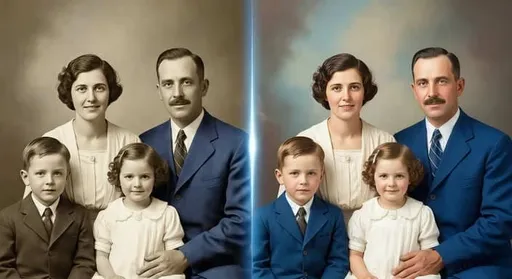
Yes. Evoke supports old photo enhancement workflows such as improving contrast, reviving color, cleaning visible damage, and making faded family photos easier to view, archive, and share.
Can Evoke upscale photos to 4K with AI?add
Evoke can improve low-resolution or compressed photos and prepare sharper outputs for 4K-oriented viewing or follow-up editing. Final quality depends on the original file size and the amount of recoverable detail.
Is Evoke better for personal photos or product photos?add
Evoke can be used for both personal and product photos. Personal photos benefit from sharper faces, cleaner old-photo restoration, and clearer sharing, while product photos can benefit from cleanup, better detail, and more polished presentation.
How is Evoke different from Remini, Picsart, or YouCam?add
Remini is often used for face enhancement, Picsart is broad creative editing, and YouCam is known for beauty workflows. Evoke focuses on mobile AI photo rescue while also connecting enhancement with other AI creation tools.
What photos work best with an AI photo enhancer?add
Clear subjects, visible faces, moderate blur, scanned old photos, and compressed images with some remaining detail usually work best. Extremely tiny, heavily cropped, or severely damaged photos may need multiple attempts.

 AI Photo Enhancer