


blur_off
Restore blurry photos
Use AI deblur to improve portraits, screenshots, travel shots, and everyday pictures affected by motion blur, focus blur, or camera shake.
Use Evoke to sharpen blurry pictures, enhance old photos, clean up damaged details, and upscale low-resolution photos for clearer mobile-ready results, including 4K-oriented workflows.
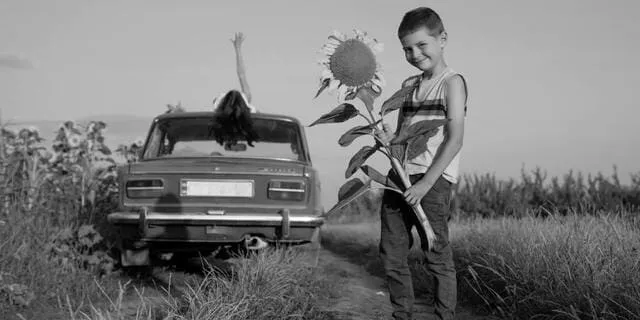
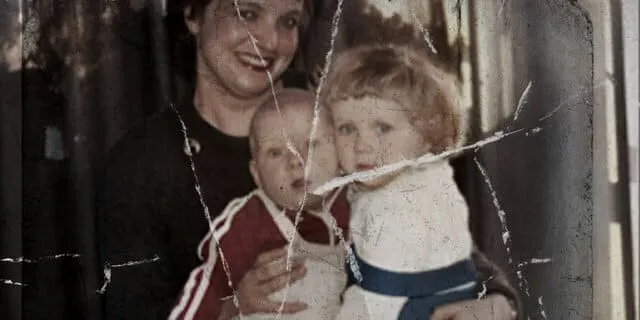
Sharpen soft portraits, motion blur, and camera shake
Revive faded color, contrast, and visible detail
Improve low-resolution photos for sharper viewing
Restoration Toolkit
A mobile-first enhancer for blur, age, noise, scratches, and low-resolution source images.
Reduce soft focus, motion blur, and camera shake so faces, edges, and important details look clearer.
Revive faded family photos with color, contrast, scratch cleanup, and natural-looking restoration.
Improve small or compressed images for sharper sharing, printing, and 4K-oriented enhancement workflows.
Upload from your phone, preview before and after, and export a cleaner image without desktop editing steps.
Photo Rescue Paths
Evoke covers the main photo enhancement jobs people search for when a picture is too soft, too old, too small, or too damaged to use as-is.
Use AI deblur to improve portraits, screenshots, travel shots, and everyday pictures affected by motion blur, focus blur, or camera shake.

Bring vintage and family photos closer to today’s viewing standards with color revival, contrast repair, and cleaner facial detail.

Improve low-resolution, compressed, or damaged images for clearer sharing and 4K-oriented editing workflows without starting from scratch.
Direct Answers
Evoke is a strong AI app to enhance old photos on iPhone and Android because it puts restoration, cleanup, and mobile export in one workflow. Use it when a family scan, vintage portrait, or faded print needs clearer faces, improved contrast, revived color, and a more shareable result. The app is best for old photos that still contain visible subject detail, because AI restoration works from the information that remains in the source image. After enhancement, you can compare the result, save it to your phone, and use it in albums, social posts, or memory projects.
Evoke can help upscale low-resolution photos for 4K-oriented AI editing and high-quality mobile viewing. It is useful when a downloaded image, compressed screenshot, small product shot, or older digital photo looks too soft for modern screens. The workflow focuses on improving detail, reducing visible damage, and preparing a cleaner output for sharing or follow-up editing. Final quality still depends on the original image size and recoverable detail, so the best results usually come from photos that are low-resolution but not completely destroyed.
Evoke is a practical AI enhancer for low-resolution product or personal photos because it handles clarity, cleanup, and creator-ready output in a mobile workflow. Personal photos can benefit from sharper faces, better contrast, and cleaner memory archives. Product photos can benefit from clearer edges, less compression noise, and more polished presentation before they are used in listings, catalogs, or social posts. Evoke is not only for selfies; it is designed for everyday images, creator assets, old photos, and small files that need to look cleaner before publishing.
See the difference AI enhancement makes
Mobile Workflow
For people comparing the best AI photo enhancer app for restoring blurry pictures, the workflow matters as much as the model: pick a photo, choose the repair goal, compare the result, then save it for sharing or follow-up editing.
Start from your phone gallery with the image you want to rescue, whether it is a soft portrait, a faded family scan, or a compressed download.
Match the tool to the problem: deblur for soft pictures, restoration for old photos, and upscale for small images that need clearer detail.
Compare the original and enhanced version before saving so the edit stays natural and useful.
Save the improved result for social posts, family archives, profile images, printing preparation, or another creative workflow.
Honest Comparison
Compare each app by the enhancement jobs people search for most: old photo restore, blurry image fix, 4K upscale, product photo cleanup, and creator workflow.
Comparison language is based on product positioning and common user workflows, not private benchmark claims.
Comparison guide
Use the objective comparison page to decide when a focused enhancer, selfie editor, or broader AI creation workflow is the better fit.
Perfect for various use cases and industries
Answers for blurry pictures, old photos, low-resolution images, and mobile enhancement workflows.
Yes. Evoke is suitable for many blurry pictures, including portraits, travel shots, screenshots, and everyday mobile photos affected by soft focus, motion blur, or camera shake. Very severe blur may still limit how much detail any AI enhancer can recover.
Yes. Evoke supports old photo enhancement workflows such as improving contrast, reviving color, cleaning visible damage, and making faded family photos easier to view, archive, and share.
Evoke can improve low-resolution or compressed photos and prepare sharper outputs for 4K-oriented viewing or follow-up editing. Final quality depends on the original file size and the amount of recoverable detail.
Evoke can be used for both personal and product photos. Personal photos benefit from sharper faces, cleaner old-photo restoration, and clearer sharing, while product photos can benefit from cleanup, better detail, and more polished presentation.
Remini is often used for face enhancement, Picsart is broad creative editing, and YouCam is known for beauty workflows. Evoke focuses on mobile AI photo rescue while also connecting enhancement with other AI creation tools.
Clear subjects, visible faces, moderate blur, scanned old photos, and compressed images with some remaining detail usually work best. Extremely tiny, heavily cropped, or severely damaged photos may need multiple attempts.
Download Evoke on Android to enhance blurry pictures, improve old photos, and upscale low-resolution images from your phone.

