
Animate Water and Fire in Photos on Android: Make Cinematic Loops with Evoke
Turn your static photos into living landscapes! Learn how to animate water, fire, and clouds on Android using Evoke's powerful Live Photo templates and AI video effects.
- Why Animate Nature Elements?
- How to Animate Water and Fire with Evoke
- Pro Tips for Perfect Loops
- Frequently Asked Questions
- What is the best app to animate nature in photos on Android?
- Is there an Animate Water in Photos App for free?
- How long does it take to Generate a Photo to Video AI Loop?
- Can I animate fire in a portrait photo?
Have you ever captured a stunning sunset over the ocean or a cozy campfire, only to feel that a static photo doesn't quite capture the magic? The movement of water and the flicker of flames are what make those moments special.
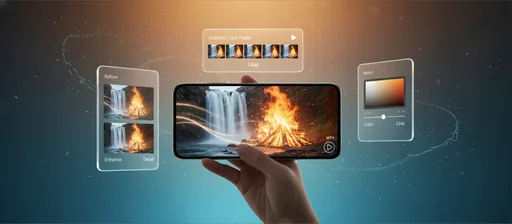
With Evoke AI Photo Enhancer, you can now Animate Water in Photos App logic directly on your Android device. Using advanced artificial intelligence, Evoke turns flat images into breathtaking AI Video Loops Android style clips that are perfect for social media.
Quick Answer: To Animate Fire in Photo AI or move water, upload your photo to Evoke, go to the Live Photo section, and choose a nature-themed template. The ia will handle the physics, creating a seamless Photo to Video AI Loop in under 40 seconds.
Why Animate Nature Elements?
Nature is inherently dynamic. Adding motion to landscape photos creates a "cinematic" feel that grabs attention:
- Calmness: Gentle water ripples evoke peace.
- Energy: Roaring fires or rushing waterfalls add drama.
- Engagement: Cinematic Photo Motion App results get more views on TikTok and Instagram Reels.
How to Animate Water and Fire with Evoke
Evoke makes it incredibly easy to use a Free AI Photo Animator workflow:
- Select Your Photo: Choose a landscape with clear water (lakes, oceans) or fire (candles, campfires).
- Enhance First: Use the Evoke AI Photo Enhancer tool to sharpen details before animating.
- Apply Live Photo Template:
- For water, look for "Flowing Water" or "Ripple" templates.
- For fire, use "Warm Fire" or "Magic Glow".
- Preview and Export: Save your Make Photos Move Android masterpiece as an MP4.
Pro Tips for Perfect Loops
- High Contrast: AI works best when there is a clear distinction between the moving element (like fire) and the background.
- Stable Footage: Even if it's a photo, ensure the subject is clear. Use the Best App to Animate Landscapes for the most realistic movement.
- Looping: Evoke’s ia ensures the start and end of the motion are seamless, perfect for infinite-looping Living Photo Templates.
Frequently Asked Questions
What is the best app to animate nature in photos on Android?expand_more
Evoke is a top choice for a Free AI Photo Animator. It specializes in nature elements like water, fire, and clouds, making it a versatile Make Photos Move Android tool.
Is there an Animate Water in Photos App for free?expand_more
Evoke offers Free AI Photo Animator credits, allowing you to try out Animate Water in Photos App features and create AI Video Loops Android without an immediate subscription.
How long does it take to Generate a Photo to Video AI Loop?expand_more
Most nature animations take about 30-40 seconds to process using Evoke's high-speed ia servers.
Can I animate fire in a portrait photo?expand_more
Yes! While the ia is optimized for landscapes, you can use the Animate Fire in Photo AI effects on any part of an image to create a "magic" or "fantasy" look.
AI Photo Team
AI technology experts passionate about bringing cutting-edge solutions to users worldwide.

