
Cinematic Horror Video Generator for Android: Make Spooky Loops with Evoke
Turn your photos into haunting cinematic loops! Discover the best horror video generator on Android using Evoke's AI horror filters and spooky animation templates.
- Why Use AI for Horror Content?
- How to Create Horror Loops in Evoke
- Template Previews
- Pro Tips for Maximum Spookiness
- Frequently Asked Questions
- What is the best AI horror video maker for Android?
- Can I make horror videos from photos for free?
- How do I add a ghost effect to my photos?
- Is the AI output high quality?
Looking to create content that gives your followers the chills? You don't need a high-end camera or a makeup team to produce high-quality horror clips. With modern artificial intelligence, you can transform a simple selfie or a photo of a dark hallway into a nightmare-inducing scene.
Evoke AI Photo Enhancer features a powerful Horror Video Maker App engine that specializes in AI Spooky Video Android creation. Whether it's for Halloween or just to show off your dark artistic side, Evoke is the ultimate free tool for creators.
Quick Answer: To use the Horror Movie Effects Generator, upload your image to Evoke, navigate to the Live Photo or AI Video tab, and select from the "Spooky" or "Horror" theme collection. In 30-40 seconds, you'll have a Cinematic Ghost Loop ready to share.
Why Use AI for Horror Content?
Horror is all about atmosphere and timing. Artificial intelligence excels at:
- Atmospheric Lighting: Adding fog, dramatic shadows, and flickering lights.
- Subtle Motion: Making a character's eyes twitch or shadows creep, perfect for Scary AI Video Templates.
- Distortion: Creating "glitch" or "ghosting" effects that are hard to do manually.
How to Create Horror Loops in Evoke
Creating Make Horror Videos from Photos is simple with our streamlined ia workflow:
- Choose a Dark Photo: Images with high contrast or shadowy backgrounds work best.
- Apply a Horror Filter: Use the Best AI Horror Filter (like "Ghostly" or "Dark Ritual") to set the mood.
- Animate the Scene: Use the Free AI Horror Animator templates to add slow-zoom and creepy movements.
- Export as MP4: Save your Creepy Photo to Video AI masterpiece and share the scare!
Template Previews
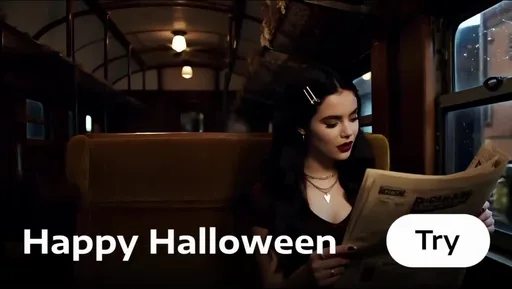
Want to see the effect before trying it? Here are three examples from our most popular templates from the Spooky Season collection:
Pro Tips for Maximum Spookiness
- Steady Eyes: In the Best AI Horror Filter logic, the more still the subject's face is, the more unsettling the slight eye movements become.
- Mist & Fog: Use templates that include particles. This adds depth to your Cinematic Ghost Loops.
- Sound Matters: Once you export your ai video, add a high-pitched violin or low drone in a video editor for the final touch.
Frequently Asked Questions
What is the best AI horror video maker for Android?expand_more
Evoke is a leading Horror Video Maker App for Android, offering a wide range of Scary AI Video Templates and professional-grade ia animation.
Can I make horror videos from photos for free?expand_more
Yes. Evoke provides Free AI Horror Animator access, allowing users to Make Horror Videos from Photos using daily credits or by viewing ads to unlock premium styles.
How do I add a ghost effect to my photos?expand_more
Upload your photo to Evoke and use the Best AI Horror Filter collection. Choose a "Ghost" or "Poltergeist" template to add semi-transparent figures and Cinematic Ghost Loops motion.
Is the AI output high quality?expand_more
Absolutely. Evoke can Generate 1080p Video loops, ensuring your AI Spooky Video Android content looks professional on TikTok, Reels, and Shorts.
AI Photo Team
AI technology experts passionate about bringing cutting-edge solutions to users worldwide.

