
70s Retro Cinematic Video on Android: Get the Zero-Budget Film Look with Evoke
Love the 70s vintage aesthetic? Learn how to turn your Android photos into 70s-style cinematic videos using Evoke's retro film filters and movie-set templates for free.
- Why the 70s Look is Trending
- How to Make Your Own 70s Film with Evoke
- Retro Template Previews
- Pro Tips for the Zero-Budget Director
- Frequently Asked Questions
- What is the best app for the zero-budget film look on Android?
- How do I make my photos look like movies from the 70s?
- Is there a Free AI Video Generator for retro videos?
- Can I use these videos on TikTok and Reels?
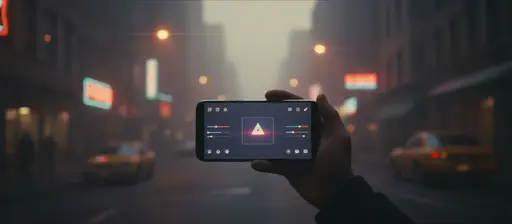
There's something undeniably cool about the 1970s film aesthetic. The warm grain, the slight lens flares, and the saturated colors create a nostalgic "movie-set" feel that modern digital cameras often lack. If you've been seeing viral vintage clips on your feed and wondering how to recreate them on a zero-budget, look no further than your Android phone.
With Evoke AI Photo Enhancer, you can skip the expensive analog gear. Using a specialized 70s Retro Film Filter and advanced ia technology, you can turn any static photo into a masterpiece of Retro Video Trends 2025.
Quick Answer: To get the Zero-Budget Film Look, upload a photo to Evoke, apply the Best Vintage Photo Filter from the collection, and then use the Live Photo feature to add cinematic pans and zooms. You'll have a 70s-style clip in 30-40 seconds.
Why the 70s Look is Trending
In an era of overly crisp 4K video, the "analog" look provides a much-needed break for the eyes. The 70s aesthetic is characterized by:
- Warm Color Palettes: Earthy tones like mustard yellow, burnt orange, and deep brown.
- Film Grain: A subtle texture that makes digital images feel "tactile."
- Soft Focus: A dreamy quality that is perfect for portraits and slow-motion scenes.
How to Make Your Own 70s Film with Evoke
You don't need a film school degree to use this Cinematic Video Maker Android workflow:
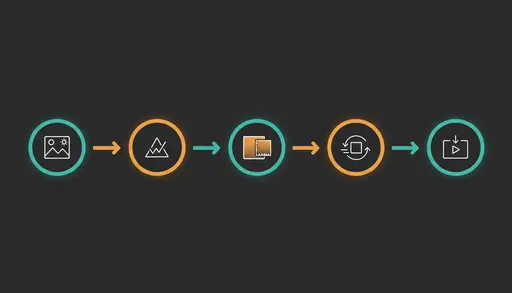
- Capture the Vibe: Take a photo with interesting lighting—think Golden Hour or a hazy indoor setting.
- Apply 70s Magic: Open Evoke and select the 70s Retro Film Filter. This will instantly Make Photos Look Like Movies.
- Add Movement: Navigate to the Live Photo section and choose a "Movie Set" or "Retro Slow Motion" template.
- Polish the Details: Adjust the grain level to match your desired level of 70s Aesthetic Video AI authenticity.
- Export in MP4: Save your Analog Movie Effects App result and post it to TikTok or Instagram.
Retro Template Previews
Here you can see how our templates from the Retro Cinema collection look:
Pro Tips for the Zero-Budget Director
- Wardrobe Matters: Even a simple denim jacket or retro sunglasses can help the ia blend your subject perfectly into a 70s scene.
- Lighting is Key: Side-lighting creates the dramatic shadows typical of 70s cinema.
- Mix and Match: Use Evoke's Best Vintage Photo Filter collection to layer different eras for a truly unique look.
Frequently Asked Questions
What is the best app for the zero-budget film look on Android?expand_more
Evoke is a leading Cinematic Video Maker Android for creators. It provides high-end ia filters and motion templates that replicate the expensive Zero-Budget Film Look for free.
How do I make my photos look like movies from the 70s?expand_more
The easiest way is to use Evoke's 70s Retro Film Filter. It applies the specific grain, color grading, and vignetting required for a 70s Aesthetic Video AI result.
Is there a Free AI Video Generator for retro videos?expand_more
Yes, Evoke acts as a Free AI Video Generator by allowing you to use daily credits to process Analog Movie Effects App styles and export high-quality clips without a watermark.
Can I use these videos on TikTok and Reels?expand_more
Absolutely. Evoke exports in vertical MP4 format, optimized for all major social platforms, making it the perfect tool to join the Retro Video Trends 2025.
AI Photo Team
AI technology experts passionate about bringing cutting-edge solutions to users worldwide.

