
The Ultimate Grandparents Day Gift: Restore Old Family Photos with Evoke AI
Give a gift that lasts forever. Learn how to use Evoke AI to restore, colorize, and animate your grandparents' old photos into high-definition memories for Grandparents Day.

- Why Restored Photos are the Best Gifts
- How to Restore Family Photos Using Evoke
- 1. Scan and Enhance
- 2. Descratch and Colorize
- 3. Add Magic with Animation
- Pro Tips for a Perfect Result
- Frequently Asked Questions
- What is the best app for restoring old family photos for free?
- How do I fix a scratched old photo?
- Can I colorize black and white photos for Grandparents Day?
- Does it work on blurry photos?
Grandparents Day is the perfect time to celebrate the legacy of your family. While traditional gifts like flowers or cards are nice, nothing touches the heart quite like a restored memory. This year, give the gift of time by using artificial intelligence to bring old family photos back to life.
With Evoke AI Photo Enhancer, the Best Photo Restoration App on Android, you can turn a faded, scratched print into a crystal-clear masterpiece in seconds. Here is how to create a gift they will never forget.
Why Restored Photos are the Best Gifts
Old photos are more than just paper; they are windows into the past. However, time isn't kind to physical prints. Fading, scratches, and water damage often hide the faces of those we love.
- Emotional Impact: Seeing a clear, colorized version of their wedding day or childhood home can move grandparents to tears.
- Preserving History: Restore Old Family Photos ensures that future generations can see their ancestors clearly.
- Instant Sharing: Once restored, these digital assets are easy to share with the whole family.
How to Restore Family Photos Using Evoke
Evoke simplifies the professional Best Photo Restoration App workflow into three easy steps:
1. Scan and Enhance
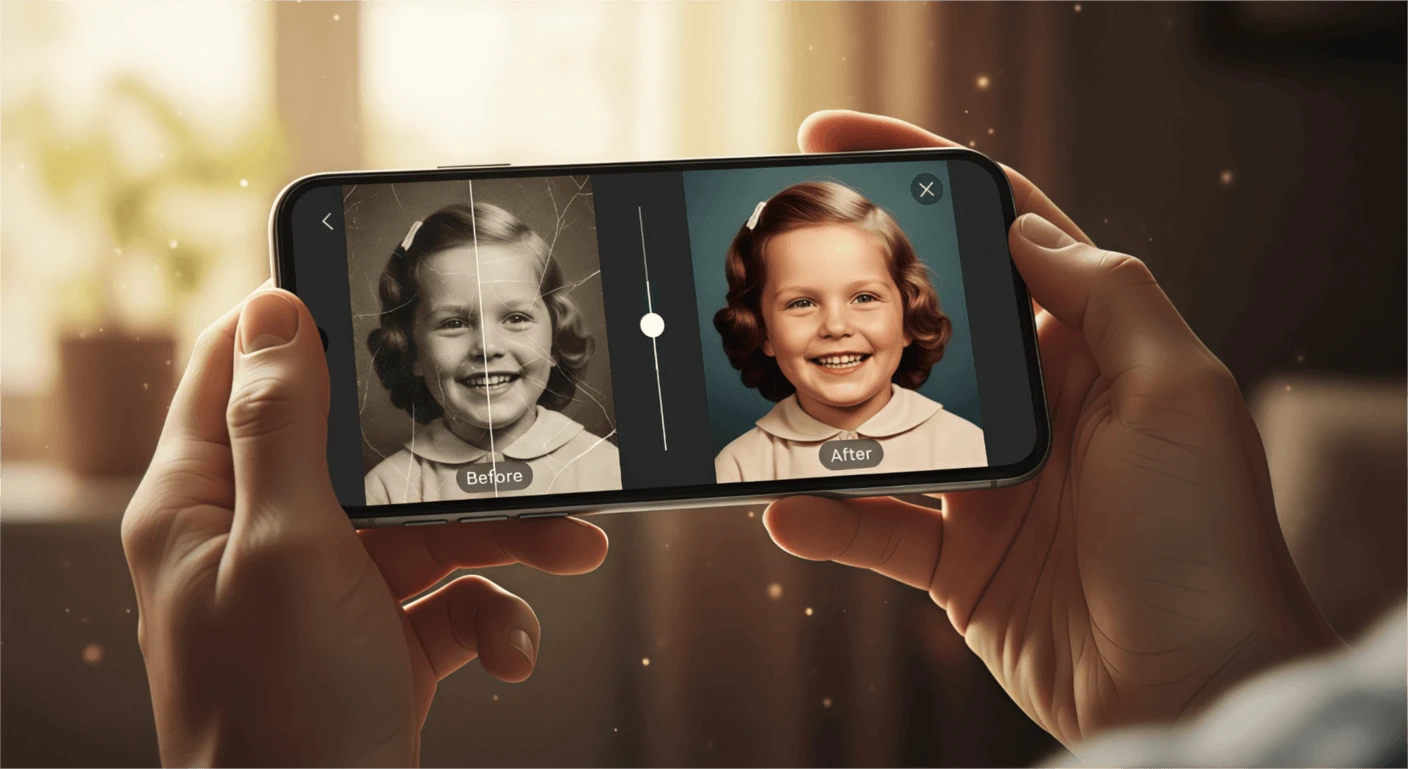
First, use your phone to take a clear, flat photo of the original print. Open Evoke and use the Enhance tool. The ia will instantly Repair Blurry Portrait issues and Upscale Low-Res Portrait details, especially in the eyes and skin texture.
2. Descratch and Colorize
Old photos often have physical damage. Evoke's "Descratch" tool uses artificial intelligence to heal tears and marks. Then, use the Colorize Black and White Photos feature. It accurately predicts colors for clothing and environments, creating a lifelike result.
3. Add Magic with Animation
To really surprise them, use the Animate Old Photos Free feature. Evoke can add subtle movements—like a blink or a gentle smile—to the restored portrait, making it feel like they are seeing their younger selves come to life.
Pro Tips for a Perfect Result
- Focus on the Eyes: The ia is best at restoring eyes. Ensure the eyes are centered when you take the initial digital copy.
- Lighting: Avoid glare when photographing old prints. Natural, indirect light is best.
- Print It Out: Once you've used the Best Photo Restoration App to fix the digital version, consider printing it on high-quality photo paper for a physical gift.
Frequently Asked Questions
What is the best app for restoring old family photos for free?expand_more
Evoke is widely considered the Best Photo Restoration App for Android. It offers a comprehensive suite of Free AI Photo Enhancer tools including colorization and deblurring.
How do I fix a scratched old photo?expand_more
Upload your photo to Evoke and select the "Descratch" tool. The artificial intelligence will analyze the surroundings and Fix Scratched Photos by intelligently filling in the damaged areas.
Can I colorize black and white photos for Grandparents Day?expand_more
Yes! Use the Colorize Black and White Photos tool in Evoke. It’s one of the most popular Grandparents Day Gift Ideas because it adds a whole new dimension to vintage memories.
Does it work on blurry photos?expand_more
Absolutely. Evoke is a powerful Repair Blurry Portrait tool that can Upscale Low-Res Portrait images to 4K resolution using Nano Banana technology.
AI Photo Team
AI technology experts passionate about bringing cutting-edge solutions to users worldwide.

