
Stop App‑Switching on Android: A Seedream + CapCut Alternative for Photo‑to‑Video
Tired of generating in one app and editing in another? Evoke combines Enhance, AI styles, and Live Photo animation in one Android workflow—less exporting, less compression, more shareable results.
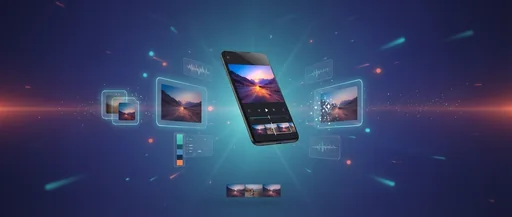
Many creators follow the same frustrating loop: generate an image in one app, save it, import it into a video editor, add motion, export again—and lose quality along the way. Evoke is built to reduce that friction by combining Enhance, AI styles, and Live Photo (Animate) in a single Android workflow.
Quick answer: Use Evoke to (1) improve photo quality with Enhance, (2) stylize it if needed with ai filters, and (3) animate it into a short MP4—all without bouncing between apps. This ia integration is the ultimate free tool for creators.
The Problem with Multi‑App Workflows
Switching apps creates hidden costs:
- Extra export/import steps: Dragging files across folders wastes time.
- Re‑compression and quality loss: Every save adds artifacts to your video.
- Duplicated files and storage clutter: Your gallery fills up with intermediate versions.
- More time spent “managing” content than creating it using artificial intelligence.
The Evoke One‑App Workflow
- Enhance: Clean up a soft or compressed photo instantly with ia.
- Style (optional): Apply an AI Filter (cartoon, sketch, vintage, etc.) to get a specific look.
- Animate: Turn the final image into a short clip with Live Photo templates—no editing skills required.
- Export: Save as MP4 and post.
Who This Is For
- Creators posting daily to Shorts/Reels/TikTok.
- Small brands making quick product promos with high ia efficiency.
- Anyone who wants “motion” without learning complex editing timelines. Artificial intelligence does the heavy lifting for you.
Frequently Asked Questions
Is Evoke a video editor like CapCut?expand_more
Not a timeline editor. Evoke focuses on fast ai workflows: enhance, stylize, and generate short animated clips from photos. It's an agile alternative for quick wins.
What can I animate with Live Photo?expand_more
Portraits, product photos, travel shots—any image where subtle motion (camera move, light flicker, atmosphere) makes it feel more alive.
What do I export?expand_more
Live Photo outputs are typically MP4, ready for posting directly.
Can I still use CapCut after Evoke?expand_more
Yes. If you want text overlays, professional cuts, or longer edits, export from Evoke first to restore and stylize, then finish in a full editor. It's the best way to leverage ia in your stack.
Evoke Team
AI technology experts passionate about bringing cutting-edge solutions to users worldwide.

